Introduction
This is a series sharing my personal experience learning and using OpenDataCube while developing TLGeo products — Geocollect and Geocloud.
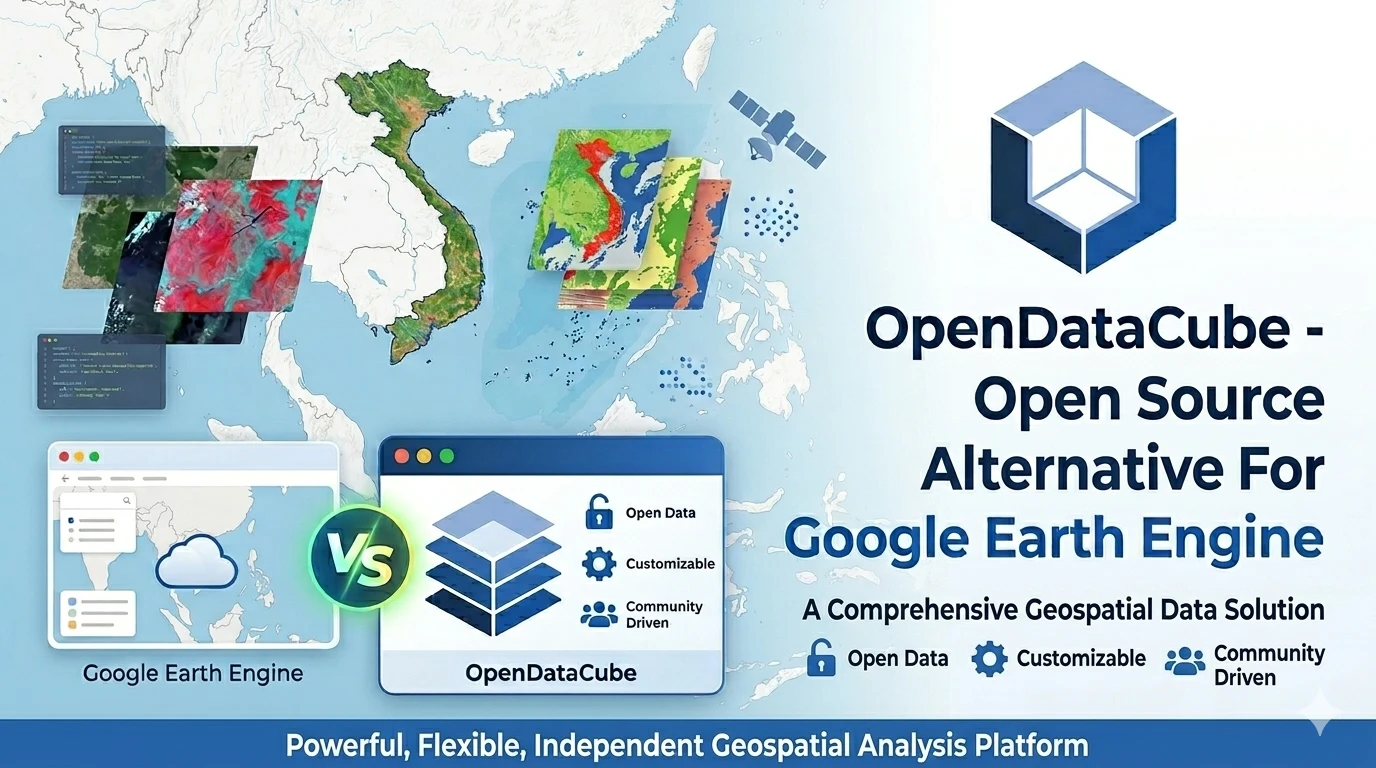
When I need to process satellite imagery, my first thought is usually Google Earth Engine (GEE). But GEE has closed source, and recently near the end of 2026 there has been talk of EECU (Earth Engine Compute Unit) quota restrictions.
I realized ODC could be a replacement, but installing and configuring ODC is complex.
That’s why I wrote this series — along with a video playlist in Vietnamese. Not to replace the official documentation, but to share the path I took, helping you save time getting started.
What Is OpenDataCube?
ODC is an open-source software (Apache 2.0) used to store, organize, and analyze large volumes of satellite imagery data by space and time.
In short: it transforms terabytes of satellite imagery from multiple sources into a structured data repository — called a data cube — and allows querying with Python in just a few lines of code.
What is a data cube?
A data cube — in the remote sensing context — is a way to organize satellite imagery along 3 dimensions:
- Space (x, y coordinates)
- Time (acquisition date)
- Spectrum (spectral bands: red, NIR, SWIR…)
Instead of storing individual .tiff files scattered across folders, you have a seamless data cube, queryable along any dimension. Want NDVI imagery for the Hanoi area, March 2024? Write 5 lines of Python and you’re done.
OpenDataCube vs Google Earth Engine — A Practical Comparison
When researching large-scale satellite image processing, two names come up repeatedly: OpenDataCube and Google Earth Engine (GEE). Here is my practical comparison:
| OpenDataCube | Google Earth Engine | |
|---|---|---|
| Nature | Open-source software | Commercial cloud platform |
| Cost | Server, storage, bandwidth — you pay | Free tier with limits; paid when quota exceeded |
| Free data | ❌ You must find and import yourself | ✅ Hundreds of datasets pre-integrated |
| Language | Pure Python | JavaScript / Python API |
| Runs on | Personal computer, private server, cloud | Web browser |
| Offline | ✅ Can run completely offline | ❌ Requires constant internet |
| Source code | ✅ Open, freely modify | ❌ Closed, cannot see the code |
| Coverage | Global (you decide) | Global |
Google Earth Engine is like a cloud subscription service — log in, drag and drop, run immediately. Convenient, rich data, but you don’t own the system, depend on free quotas or pay monthly fees, and need constant internet.
OpenDataCube is like building your own private server — large upfront effort, but later you have full control, no quota limits, can run offline, and scale as you wish.
For commercial products like TLGeo, ODC is the more suitable choice — no third-party dependency, integrated directly into the production workflow.
Why OpenDataCube Matters to TLGeo?
When working with satellite imagery for GIS products, we faced a core problem:
Free satellite imagery is plentiful, but organizing and processing it systematically on your own — that is nearly impossible for an individual.
Specifically:
- Landsat Collection 2 = ~40 years of data, dozens of gigabytes added each year
- Sentinel-2 = revisits every ~5 days, each scene ~1 GB
- Sentinel-1 = radar, cloud-penetrating, requires separate storage
Building a system to download, extract, index, and query all of that? Very complex. OpenDataCube helps automate the entire workflow.
What ODC solves for TLGeo
- Geocollect — Cross-reference satellite imagery with field GPS data: when a user records a point in the field, the system automatically queries the nearest satellite image for that location.
- Geocloud — View multi-date satellite imagery on a map: compare area conditions before and after events (floods, deforestation, unauthorized construction).
- Carbon estimation — Using Landsat time series (>50 years) combined with ODC to estimate carbon sequestration.
Core Components of OpenDataCube
OpenDataCube consists of 5 main components:
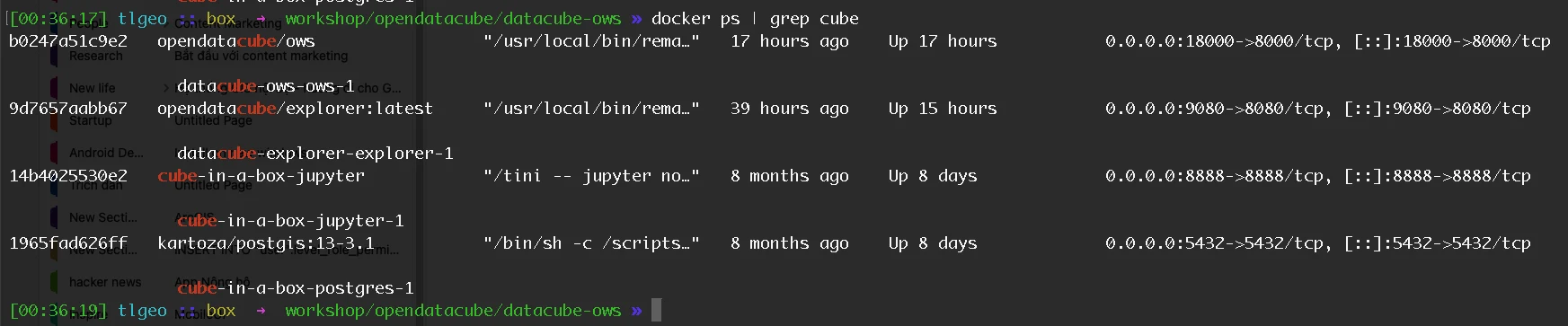
1. Datacube Core (datacube)
The main Python library. Allows querying and processing satellite imagery with Python:
import datacube

dc = datacube.Datacube()

# Query Sentinel-2 imagery for an area
ds = dc.load(
    product='s2_l2a',
    x=(105.5, 106.0),
    y=(20.8, 21.2),
    time='2024-01-01',
    measurements=['nbart_red', 'nbart_nir', 'nbart_swir_16']
)
2. ODC Tools (odc-tools)
Extended toolset — includes:
- ODC Stats — Regional statistics, trend analysis
- ODC Stac — STAC catalog integration
- ODC Dask — Parallel processing with Dask
3. ODC UI (odc-ui)
Web interface for visually browsing data — useful for quick checks before writing scripts.
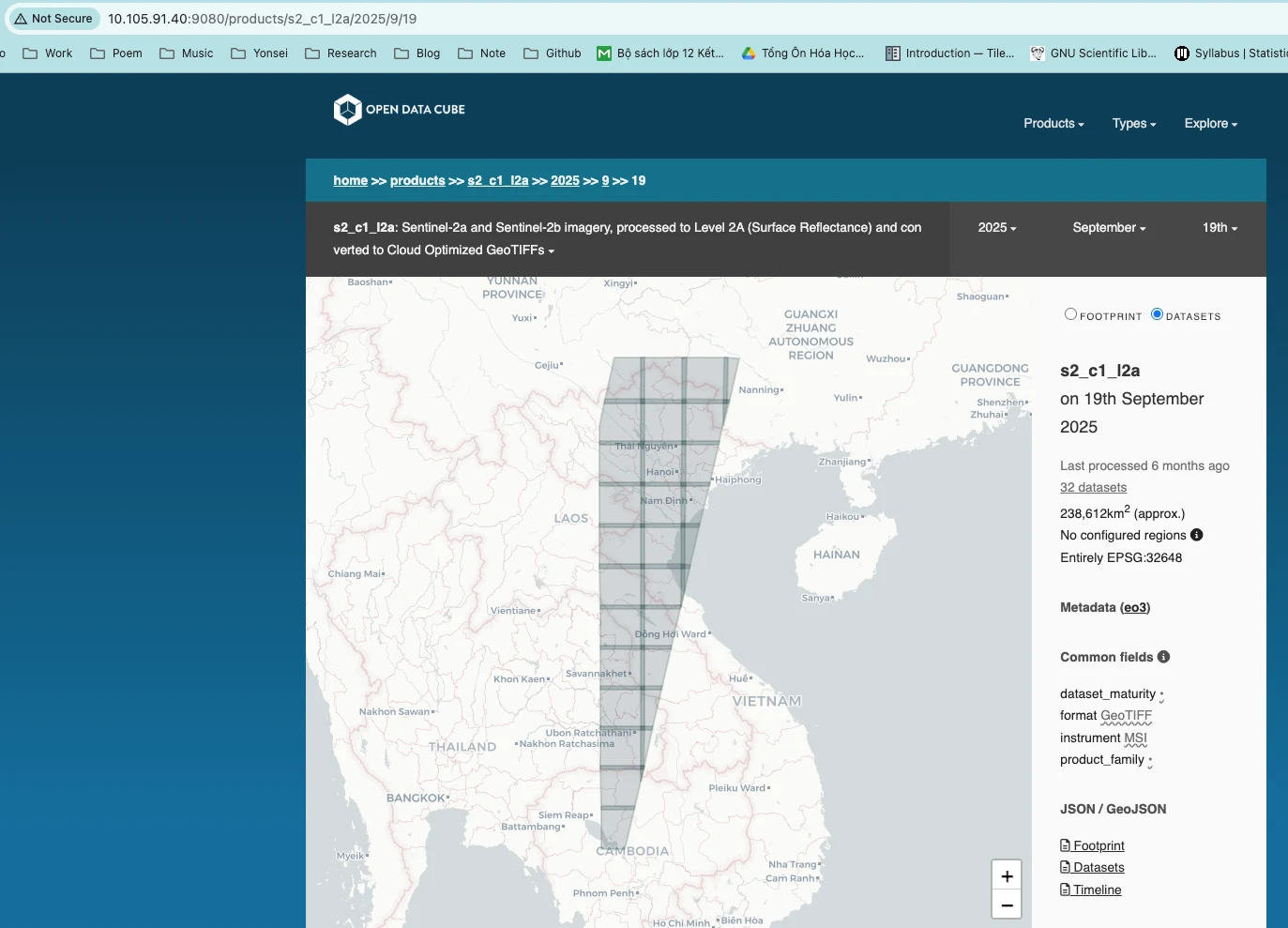
4. OWC — OGC Web Services
ODC comes with OWC (OpenDataCube Web Services) built-in — serving satellite imagery via OGC standards directly from the datacube:
- WMS (Web Map Service) — delivers tile images to maps
- WMTS (Web Map Tile Service) — high-performance raster tiles
- WCS (Web Coverage Service) — query raster data by region
- WCPS (Web Coverage Processing Service) — raster processing on the server
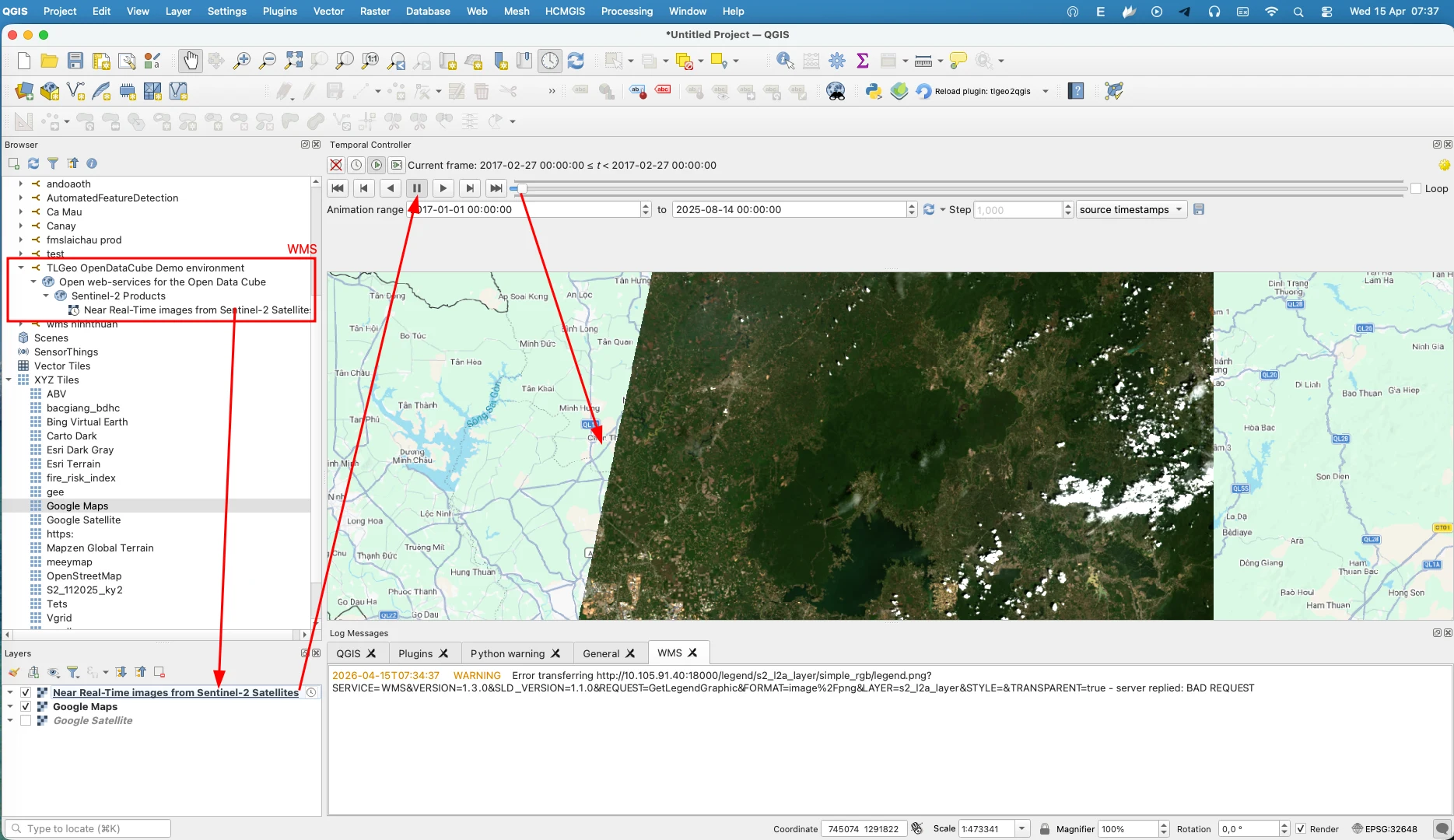
The most attractive feature: you can open ODC WMS right in QGIS, MapInfo, ArcGIS — no special plugins needed. Satellite imagery from the datacube displays as a regular map layer.
5. PostgreSQL + PostGIS
All metadata and spatial indexes are stored in PostgreSQL with the PostGIS extension. This is the part I found most complex to set up.
Popular Data Sources to Import Into ODC
ODC does not provide data out of the box. You must find and import it yourself. Here are the most common sources:
| Source | Notes |
|---|---|
| USGS EarthExplorer | Landsat (free, global) |
| Copernicus Open Access Hub | Sentinel-2, Sentinel-1 (free, global) |
| AWS Open Data | Landsat, Sentinel-2 (free) |
| Microsoft Planetary Computer | Landsat, Sentinel-2 (free, powerful API) |
| Google Earth Engine | Free tier, with limits |
The Solution: Vietnamese Video Tutorial Playlist
Because of these difficulties, I decided to write and record an ODC installation video playlist in Vietnamese — to share the path I took, and help you avoid starting from scratch.
| # | Video | Content |
|---|---|---|
| 0 | Introduction to OpenDataCube | Overview of OpenDataCube, data cube, and why use it |
| 1 | Install OpenDataCube | Installation guide |
Conclusion
OpenDataCube is an extremely powerful tool — and I genuinely believe if you work in remote sensing or GIS, it is worth learning.
If you need support or want to discuss remote sensing and OpenDataCube, feel free to contact TLGeo.