Introduction
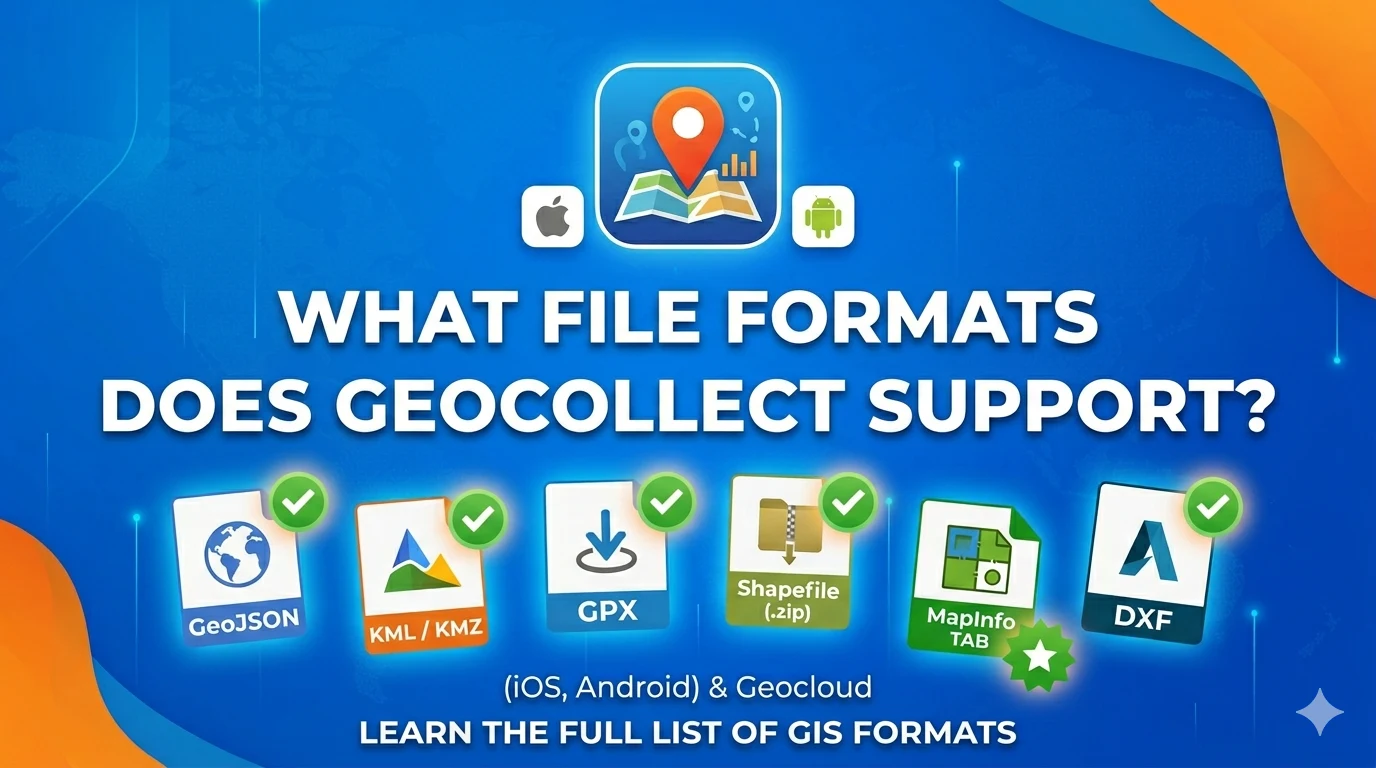
Geocollect is a geographic data collection app for iOS and Android, supporting import and export of data in many common GIS formats. In addition to offline file import from device storage, Geocollect on both iOS and Android also supports online GIS file import from a server.
💡 Note on KML/KMZ on Android: When importing KML/KMZ on Geocollect Android, attributes of objects are not read — only geometry is imported. On iOS, both geometry and attributes are fully imported.
Format Support Table
| Format | Geocollect iOS | Geocollect Android | Geocloud (online file import) |
|---|---|---|---|
| GeoJSON | ✅ | ✅ | ✅ |
| KML / KMZ* | ✅ | ✅* | ✅ |
| GPX | ✅ | ✅ | ✅ |
| Shapefile (.zip) | ✅ | ✅ | ✅ |
| MapInfo TAB | ✅ | ✅ | ✅ |
| DXF | ✅ | ✅ | ✅ |
| DGNv8 | — | — | ✅ |
| DWG | — | — | 🔜 (coming soon) |
* KML/KMZ on Android: Import geometry ✅ | Attributes ❌
Geocloud: Import GIS files online directly in a web browser.
🔜 DWG: In the future, Geocloud will support viewing directly on the web platform.
Format Details
GeoJSON (.geojson / .json)
The most popular text-based format for web GIS.
- Import: ✅ iOS — ✅ Android — ✅ Geocloud
- Export: ✅ iOS — ✅ Android — ✅ Geocloud
- Geometry: Point, LineString, Polygon, Multi-*
- Attributes: Full support
Best when: Exchanging data between web apps and mobile.
KML / KMZ (.kml, .kmz)
Format for Google Earth / Google Maps.
- Import: ✅ iOS — ✅ Android*
- Export: ✅ iOS — ✅ Android
- Geometry: ✅
- Attributes: ✅ iOS — ⚠️ Android (not recognized)
Best when: Presenting data on Google Earth, sharing with non-technical users.
⚠️ If your KML file contains important attributes, use iOS or convert to GeoJSON before importing on Android.
GPX (.gpx)
Open standard for GPS data.
- Import: ✅ iOS — ✅ Android — ✅ Geocloud
- Export: ✅ iOS — ✅ Android
- Geometry: Waypoint, Route, Track
- Attributes: Elevation, timestamp
Best when: Field GPS data collection, working with Garmin, Strava, Geocollect.
Shapefile (.zip)
The most widely used format in GIS.
- Import: ✅ iOS — ✅ Android — ✅ Geocloud
- Export: ✅ iOS — ✅ Android — ✅ Geocloud
Note: Shapefile consists of multiple files (.shp, .shx, .dbf, .prj). When sharing, package all files into 1 .zip file.
Best when: Data exchange with government agencies, QGIS, ArcGIS.
MapInfo TAB (.tab)
Widely used in Vietnamese forestry.
- Import: ✅ iOS — ✅ Android — ✅ Geocloud
- Export: ✅ iOS — ✅ Android — ✅ Geocloud
Best when: Forest data, forestry land boundaries, exchange with Forestry Departments.
DXF (.dxf)
AutoCAD format.
- Import: ✅ iOS — ✅ Android — ✅ Geocloud
- Export: ✅ iOS — ✅ Android — ✅ Geocloud
Best when: Engineering drawings, urban planning, infrastructure.
DGNv8 (MicroStation)
- Import: — — — ✅ Geocloud
Best when: Viewing MicroStation CAD data directly in a web browser.
DWG (AutoCAD) — Coming Soon 🔜
- View directly: 🔜 Geocloud (in the future)
Currently, DWG files need to be converted to DXF or Shapefile before importing into Geocollect / Geocloud.
Conclusion
Geocollect supports most common GIS formats — enough to meet the needs of collecting, editing, and sharing geographic data in most projects.
Want to learn more about Geocollect? See: Geocollect Documentation
If you need support with file formats or using Geocollect, feel free to contact TLGeo.