Flycam Single Image Management
Open Flycam Single Images
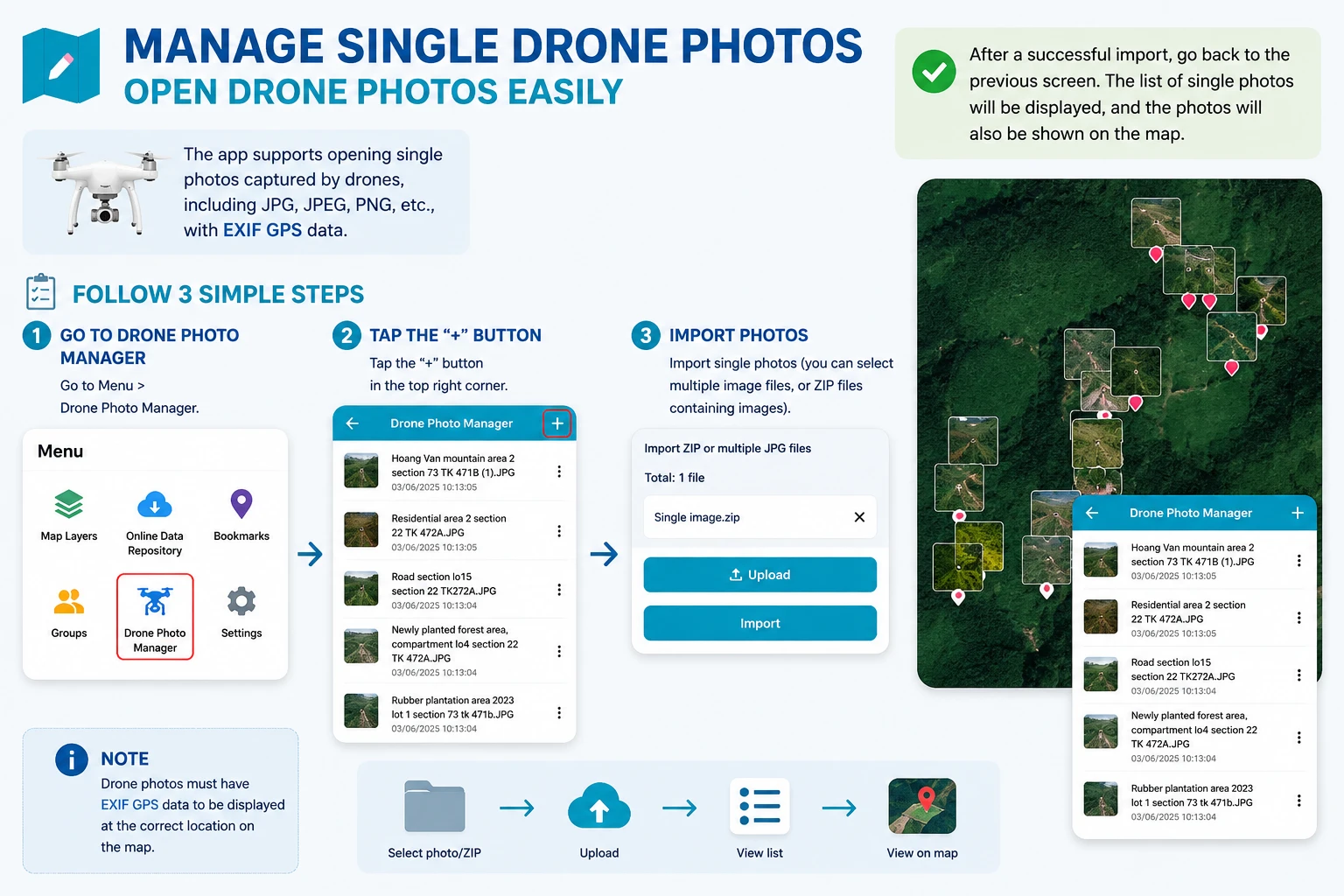
The application supports opening single images captured from drones, supporting formats JPG, JPEG, PNG,… with EXIF GPS.
To use this feature, you need to follow these steps:
- Step 1: Go to Menu > Flycam Image Management.
- Step 2: Click the ”+” sign
 at the top right corner.
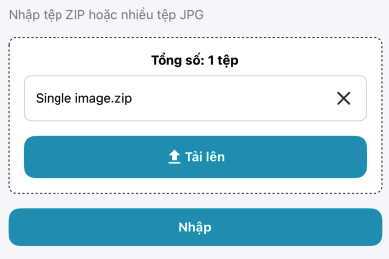
 - Step 3: Import single images (Can be multiple image files, or multiple zip files containing compressed images)
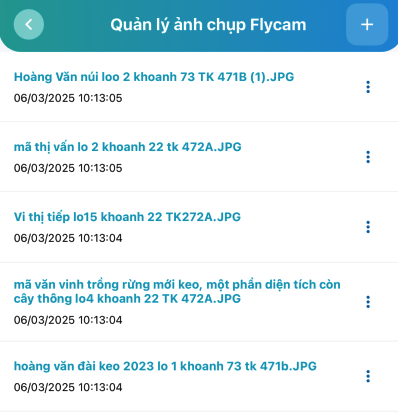
After successfully importing, users return to the previous screen, now the single image list is displayed.
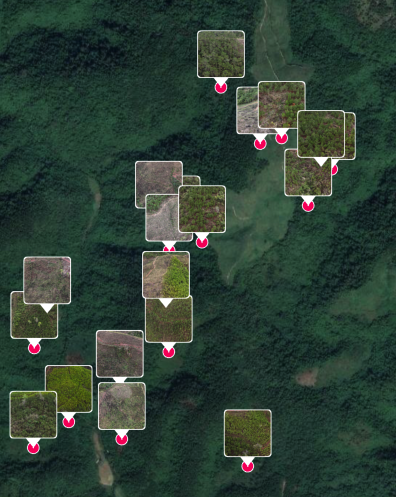
And single images are also displayed on the map.