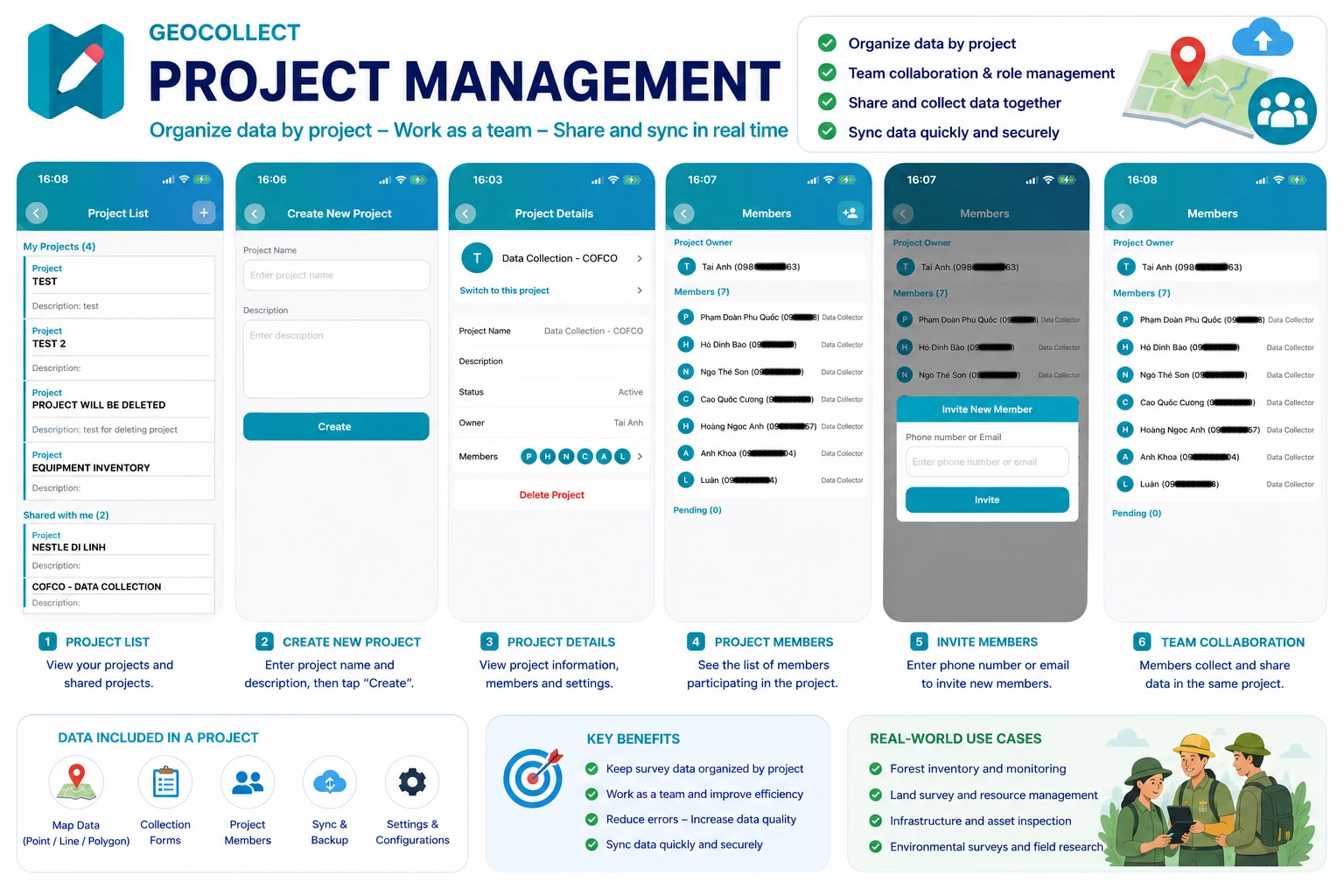
Project screen
Project Management in Geocollect
The Project Management feature in Geocollect helps users organize data by each separate project, while supporting team collaboration, permissions and sharing collected data among members.
Each project can contain:
- Map data
- Collection forms
- Collected Points / Lines / Polygons
- Project members
- Individual settings and configurations
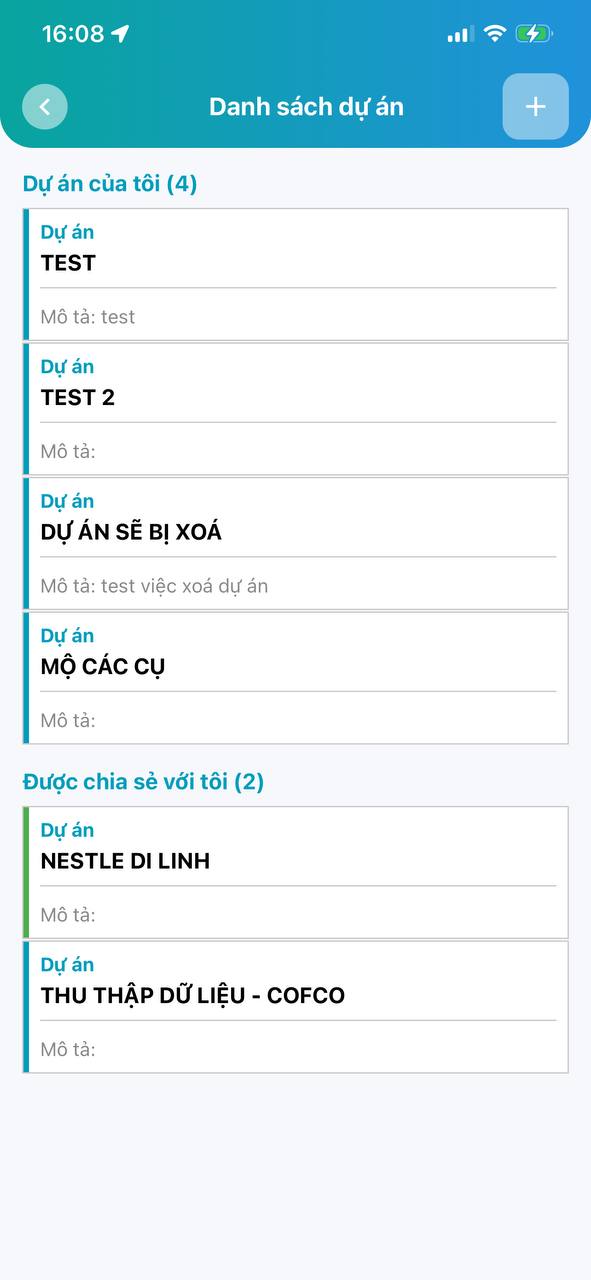
Project List
When opening the Project List screen, you will see:
- Projects you own
- Projects shared with you by others
Each project displays:
- Project name
- Project description
- Sharing status
Users can quickly switch between projects to work.
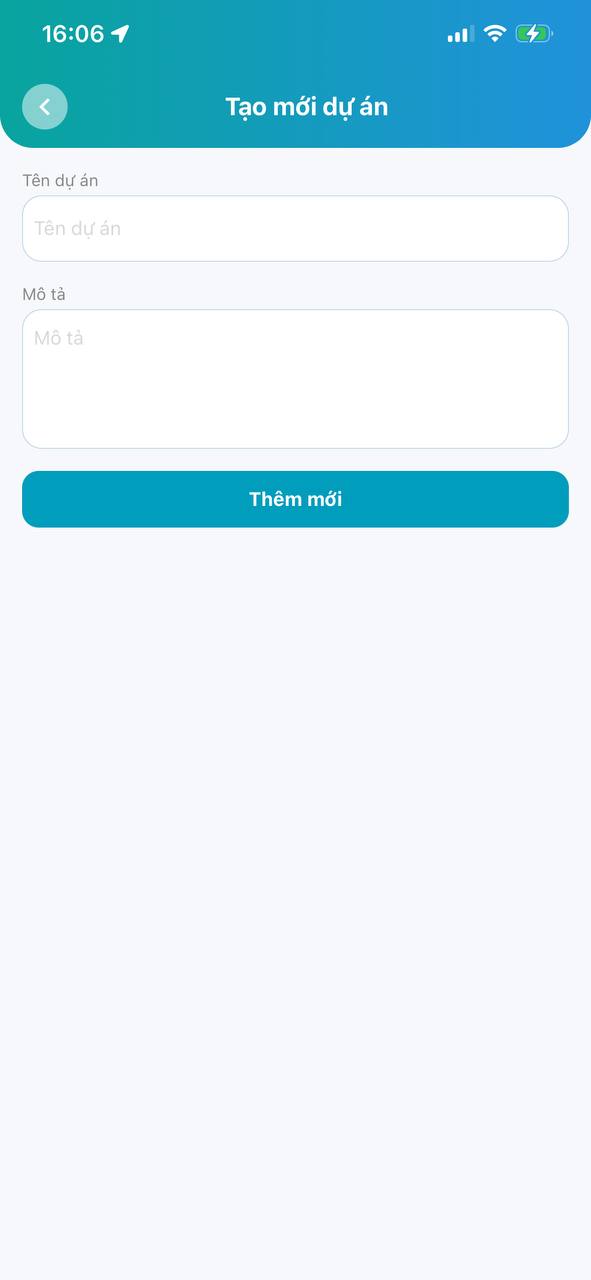
Create New Project
To create a new project:
Step 1
Open Project List screen
Step 2
Click the (+) button at the top right corner
Step 3
Enter information:
- Project name
- Project description
Step 4
Click Add New button
After creation, the project will appear in your project list.
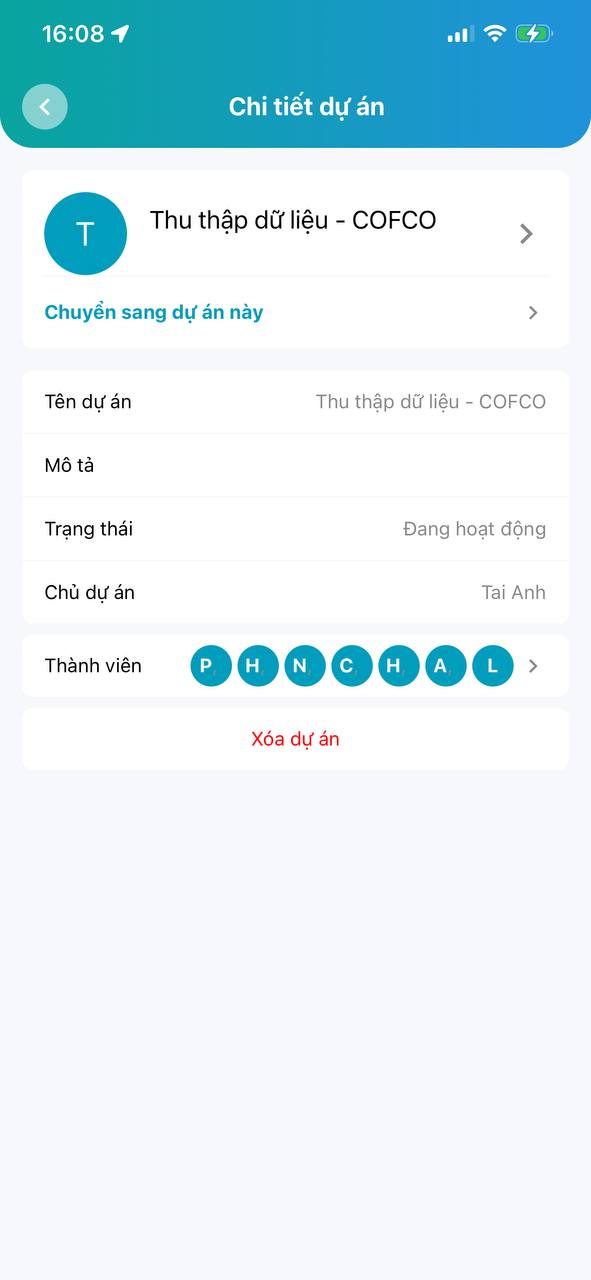
Project Details
When selecting a project, the Project Details screen will display:
- Project name
- Description
- Active status
- Project owner
- Member list
Additionally, users can:
- Switch to this project to start working
- Delete project
- Manage project members
Switch Working Project
In the Project Details screen, select:
“Switch to this project”
After switching:
- All new collected data will belong to this project
- Project forms and map data will be loaded
- Project members can work together on the same data
This is a very important feature when working with multiple areas or different survey teams.
Project Member Management
Geocollect supports team collaboration by allowing you to invite additional members to the project.
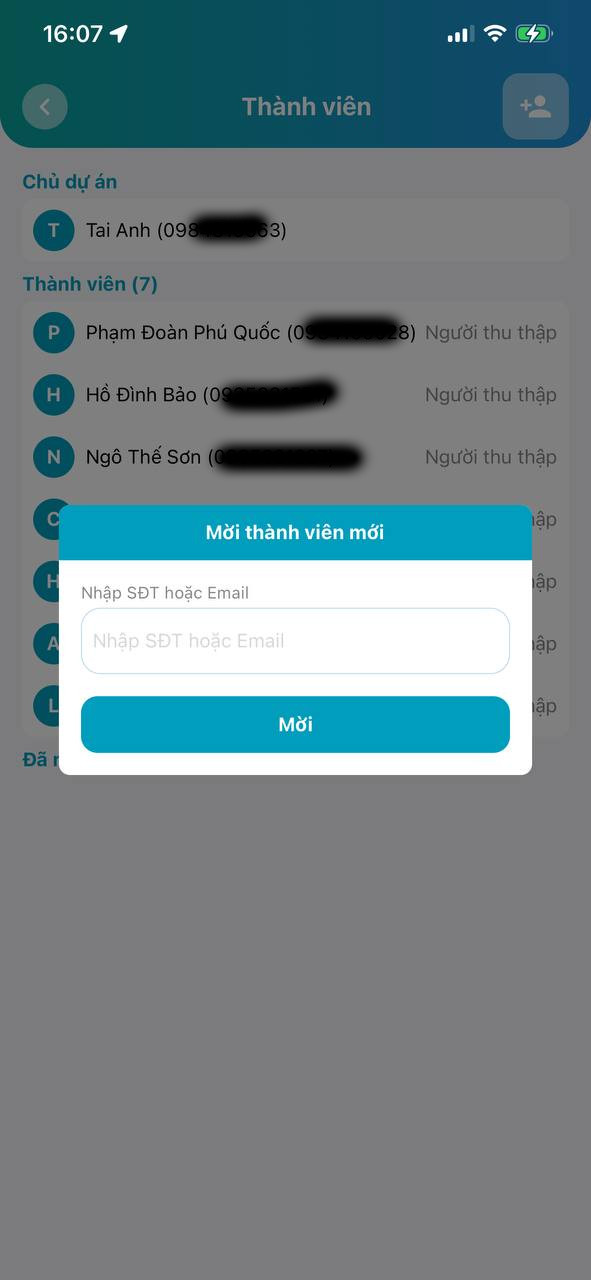
Invite New Member
In the Members screen:
Step 1
Click the Invite Member icon
Step 2
Enter:
- Phone number or
- Geocollect account Email
Step 3
Click Invite button
The invited person will receive an invitation to join the project.
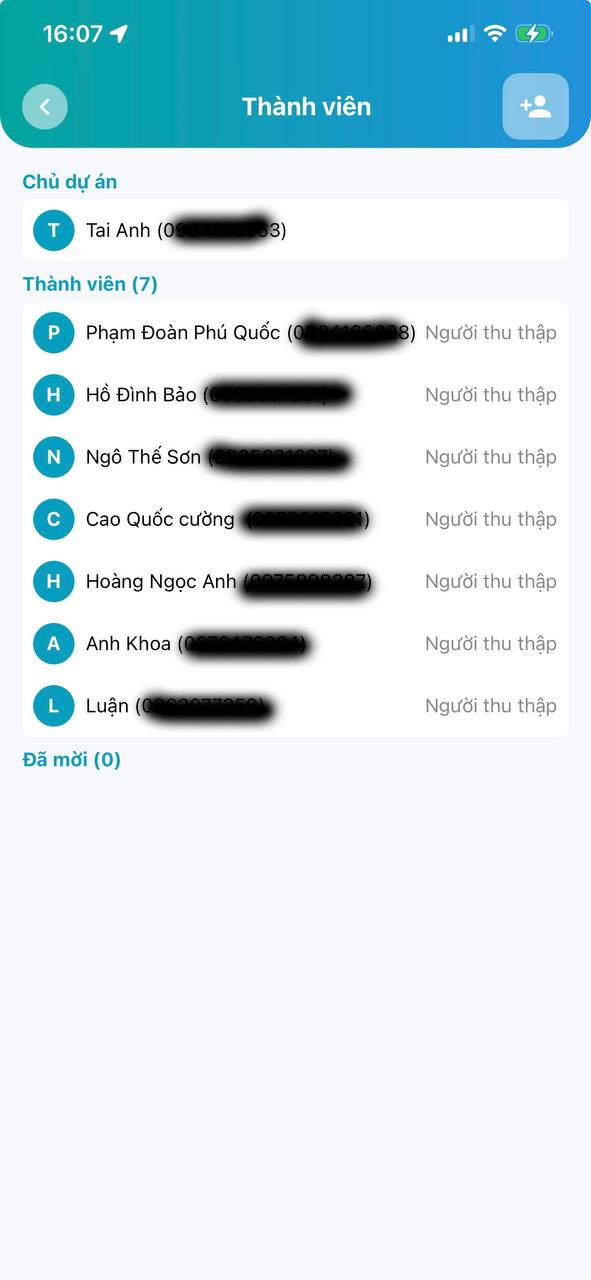
Member List
The member screen displays:
- Project owner
- List of participants
- Role of each member
For example:
- Data collector
- Project manager
This feature helps easily manage field survey teams.
Share Data Among Multiple People
After joining the same project:
- Members can collect data together
- Data is synchronized by project
- Easily aggregate data from multiple surveyors
For example:
- A forest survey team
- A land inventory team
- A status measurement team
Each person can be responsible for their own area but data is still managed centrally in the same project.
Some Notes
- Only project owner can delete the project
- Internet is required to synchronize data among members
- Members need to have a Geocollect account to join the project
- Should name projects clearly by area or survey mission
For example:
- Binh Thuan Forest Survey 2025
- District 1 Household Data Collection
- ABC Commune Land Use Status Inventory
Conclusion
The Project Management feature makes Geocollect a powerful GIS data collection platform for field team collaboration.
With capabilities:
- Manage multiple projects
- Share data
- Team collaboration
- Synchronize survey data
Users can effectively deploy large-scale GIS, forestry, environmental resources and field survey projects.