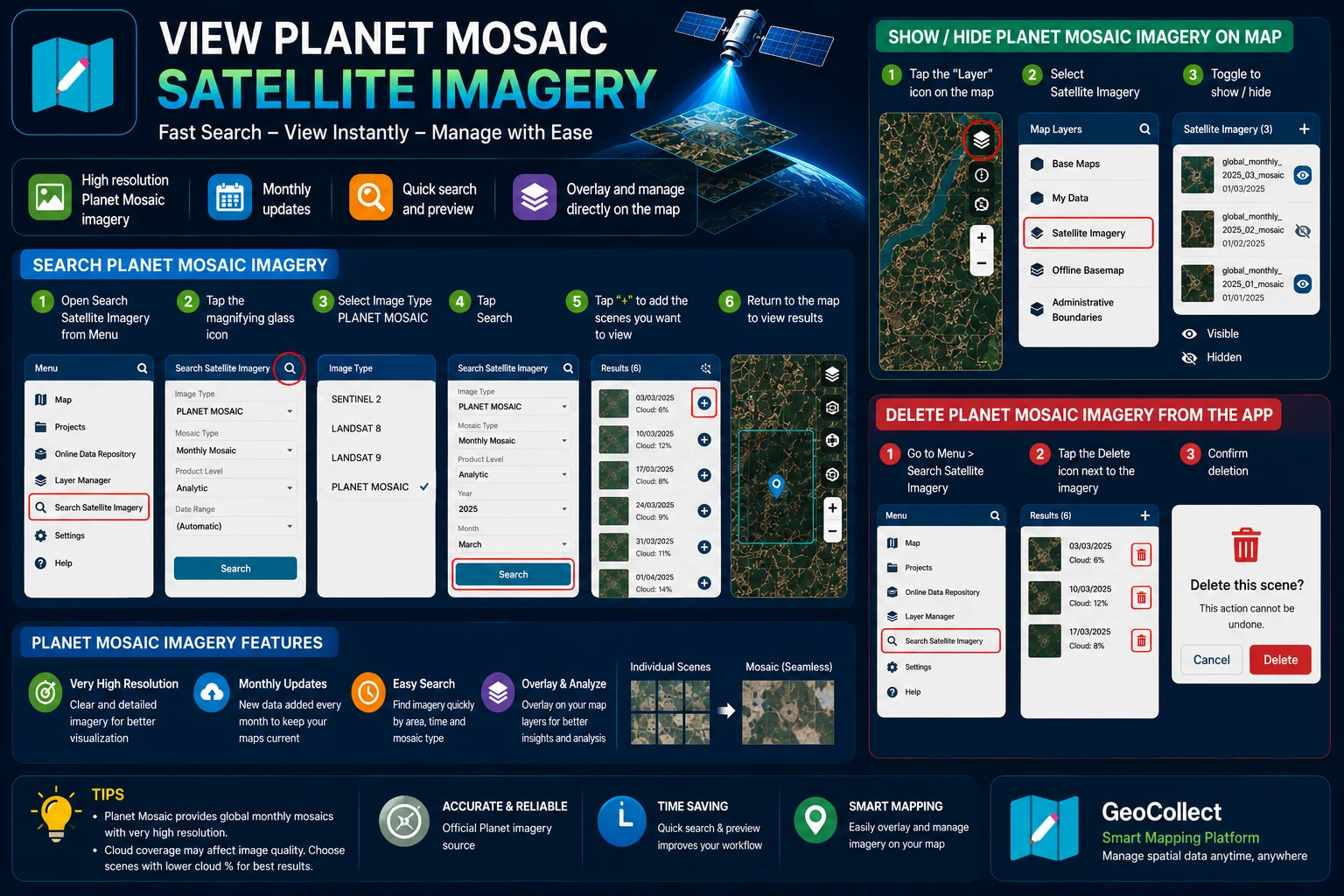
PLANET MOSAIC Satellite Imagery
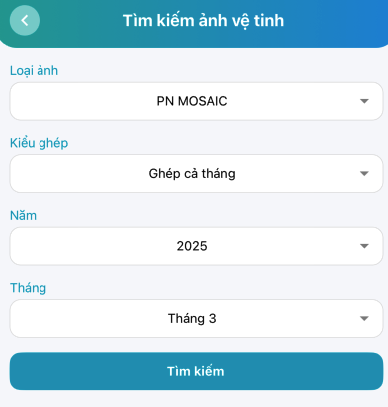
Search for PLANET MOSAIC Satellite Imagery
- Step 1: Go to Menu > Satellite Imagery Search.
- Step 2: Select the “Magnifying glass” icon

- Step 3: Select Image Type PLANET MOSAIC.
- Step 4: Click the Search button.
- Step 5: After getting results, click the ”+” sign on the scenes you want to view.
- Step 6: Return to the map screen to view the results.
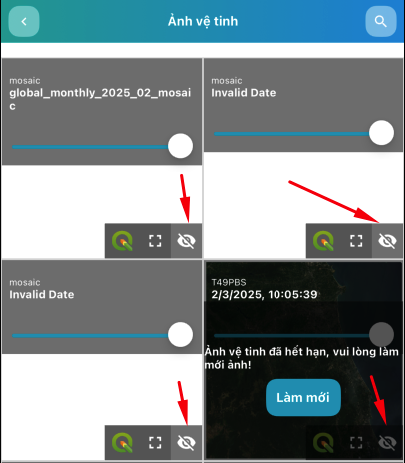
Show/Hide PLANET MOSAIC Satellite Imagery on Map
- Step 1: On the map screen, select the “Map Layers” icon at the top right corner.
- Step 2: Select Satellite Imagery
- Step 3: In the satellite imagery list, you can Show/Hide satellite imagery
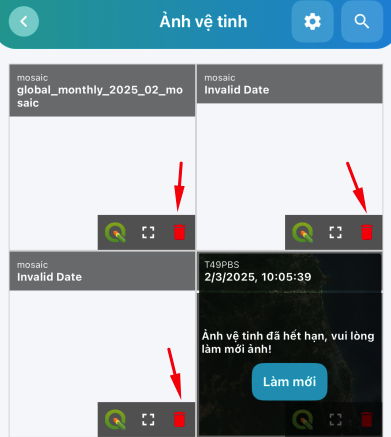
Delete PLANET MOSAIC Satellite Imagery from the App
- Step 1: Go to Menu > Satellite Imagery Search
- Step 2: In the satellite imagery list, you can Delete satellite imagery