Upload GIS File
Steps to Follow
Step 1: Select Project and Upload File
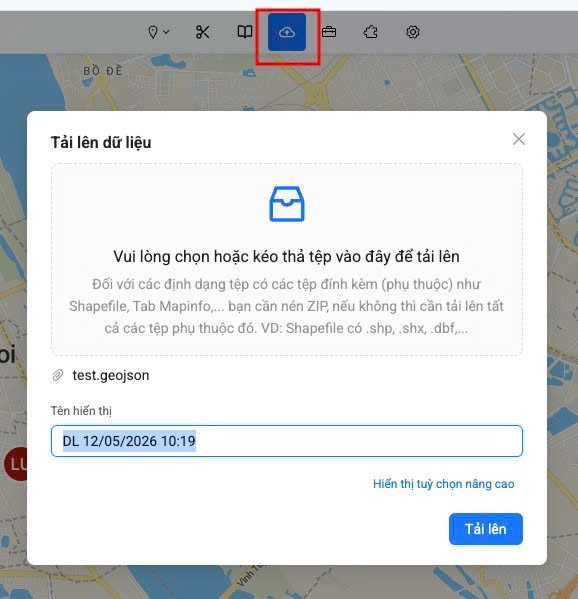
Go to GeoCloud > Select Project > Click Upload GIS file.
Step 2: Wait for Server Processing
After successful upload, the server will process the data. When processing is complete, the system will send a notification to your phone.

Step 3: Open Legend Panel
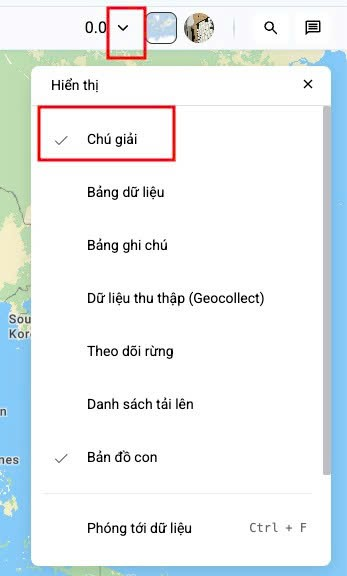
Reload the GeoCloud page, then open the Legend tab to view the uploaded data.
Step 4: View Uploaded Data
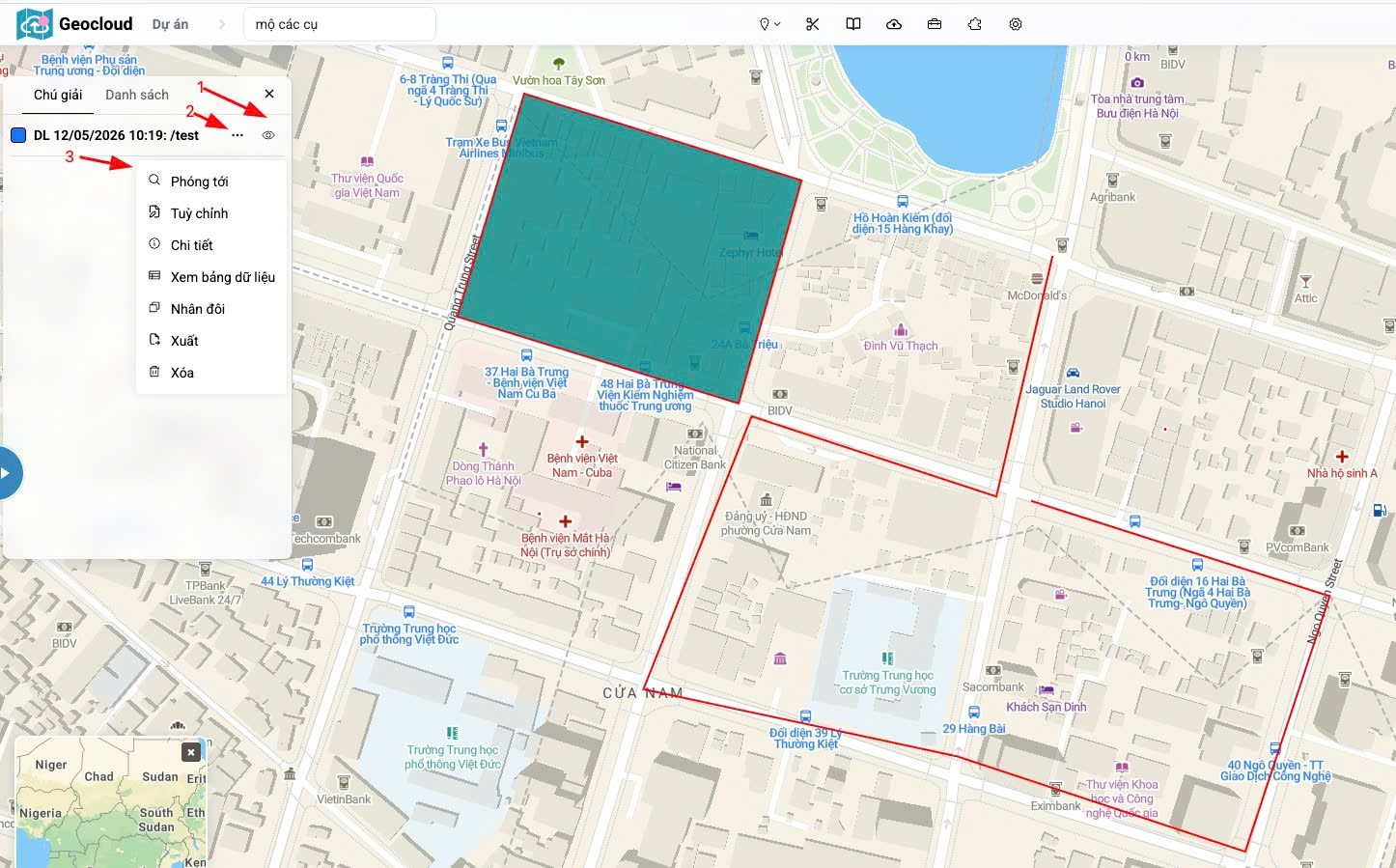
In the Legend panel, the uploaded map will be displayed. You can view and manage GIS data from here.